
The product
Every lead, every case, in one place.
osimr runs a broker's sales floor and advice team on the same records: the queue, the callbacks, the diary, the case and the client's documents. Here is each part, as it looks on a working day.
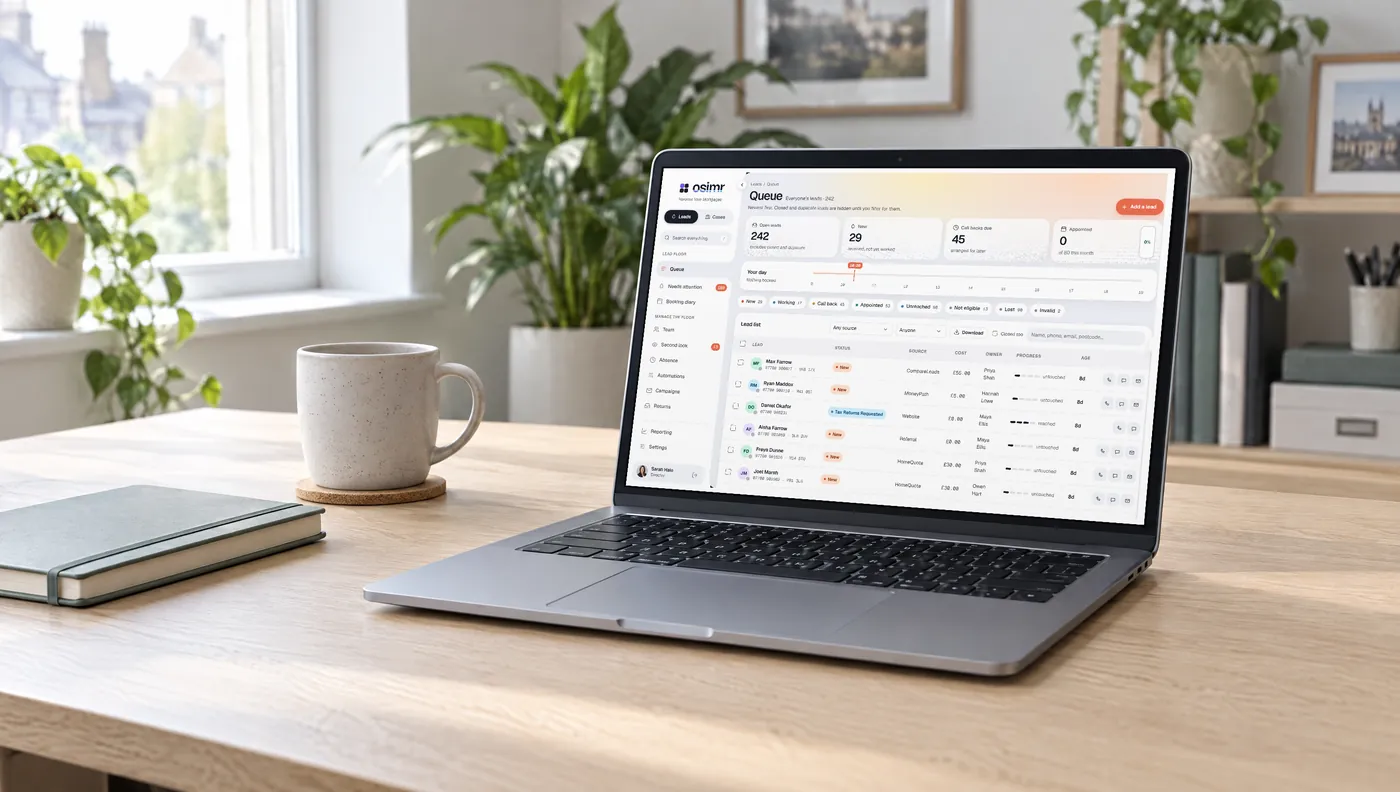
The lead floor
A queue that puts the next call first.
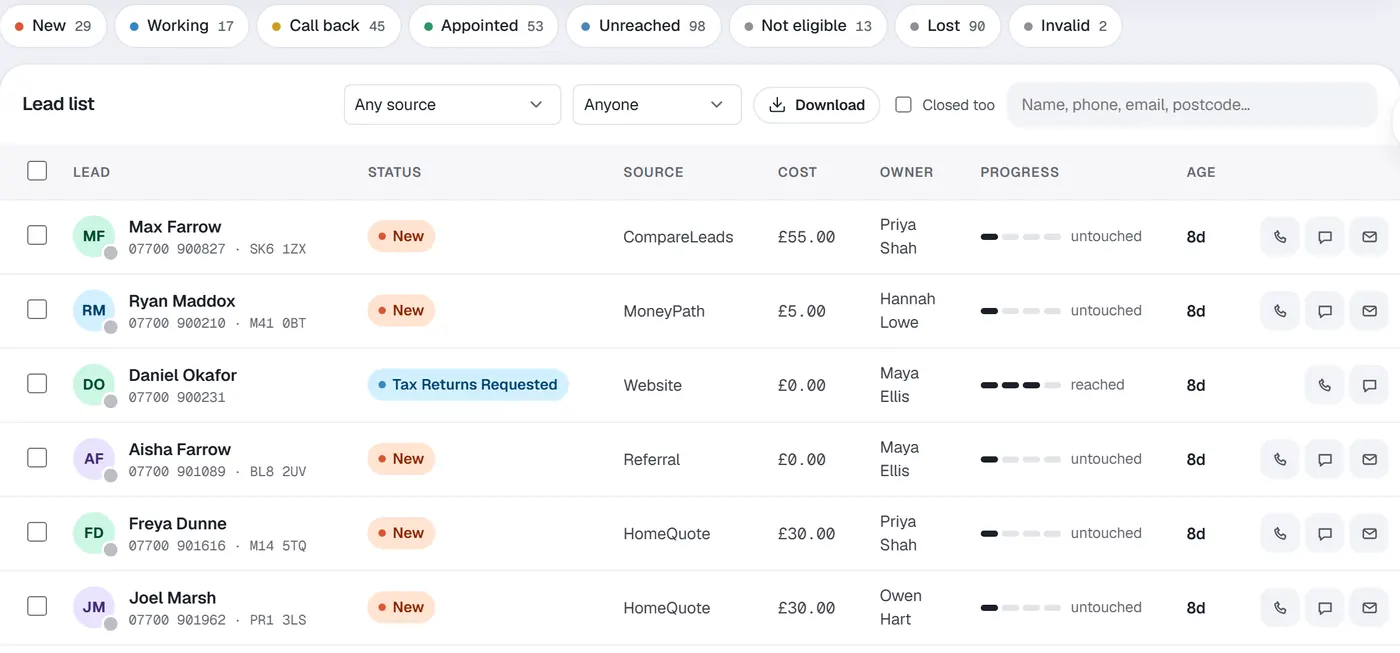
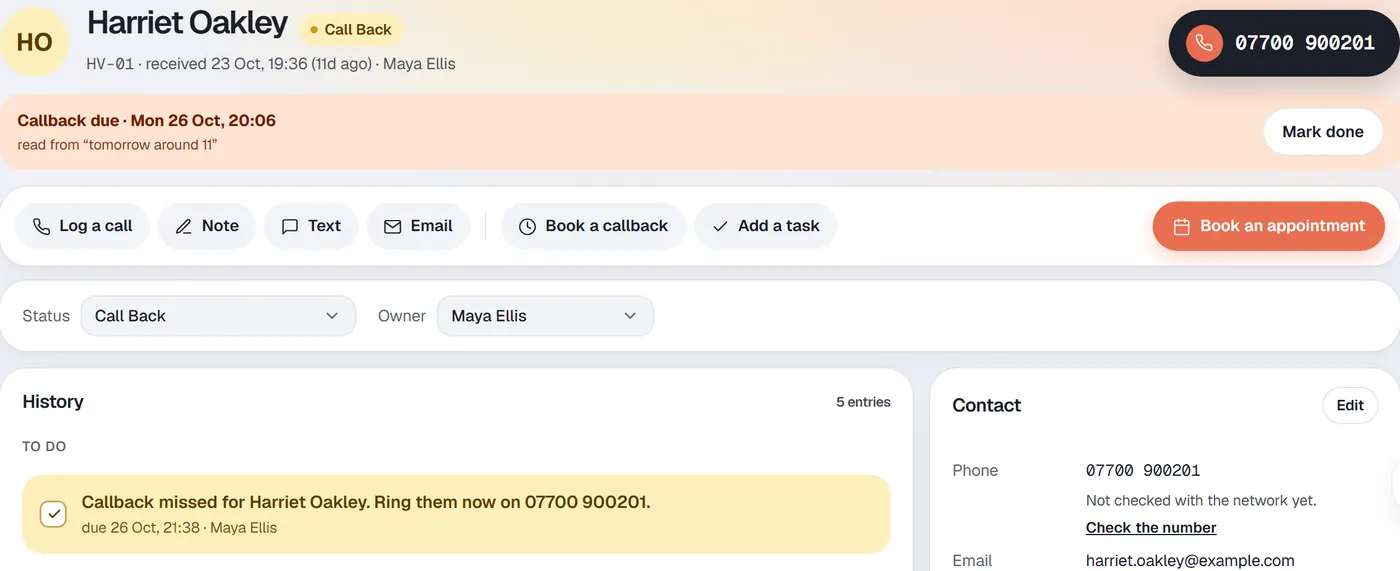
Everyone's leads in a single list, newest first, with closed and duplicate leads kept out of the way until you ask for them. Open a lead and everything is on the same record: the history, the contact details, what they agreed to, and the next thing to do.
- Callbacks booked from the record, and flagged the moment they are missed
- Status and owner on every lead
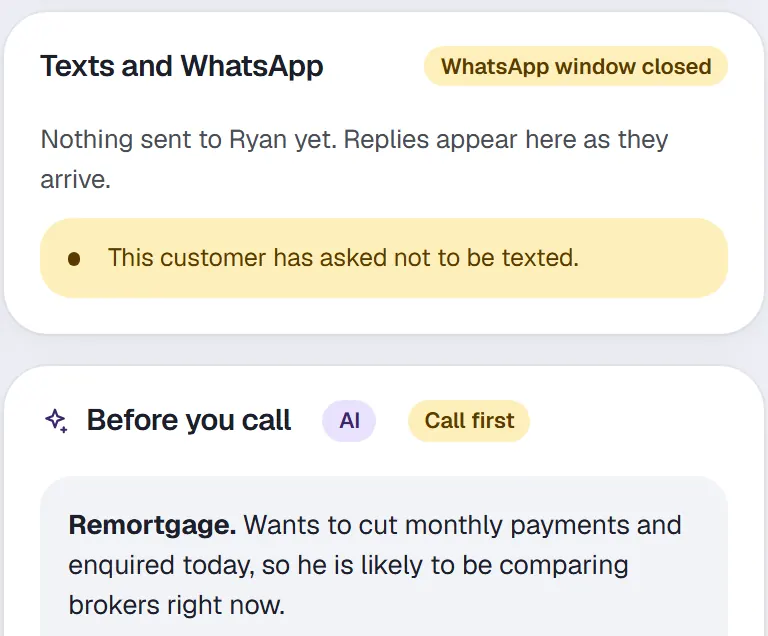
- Before you call: a short read of the lead, when you switch it on
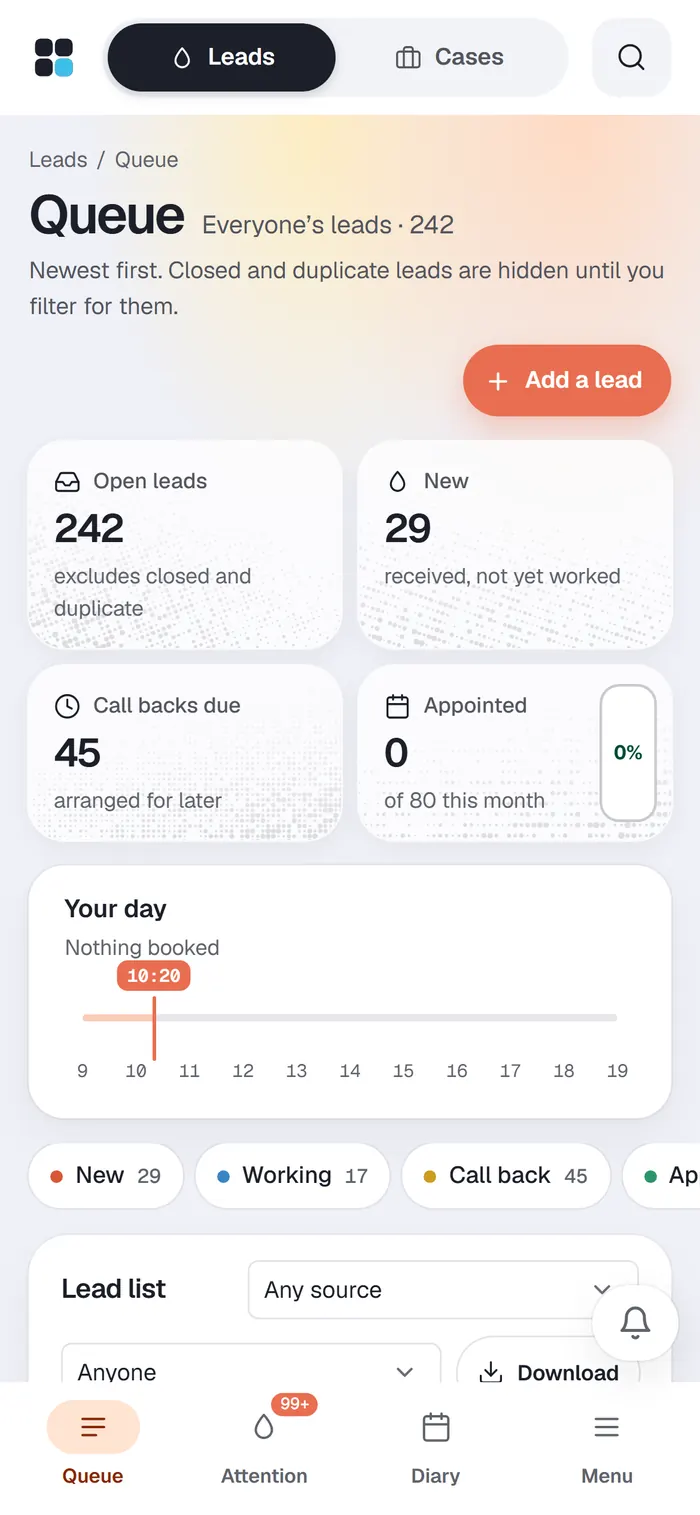
Work the queue from a phone.
The same queue, Needs attention and diary, laid out for a phone. Useful for the adviser between appointments and the sales director who isn't at a desk.
Needs attention
Find the people still waiting on somebody.
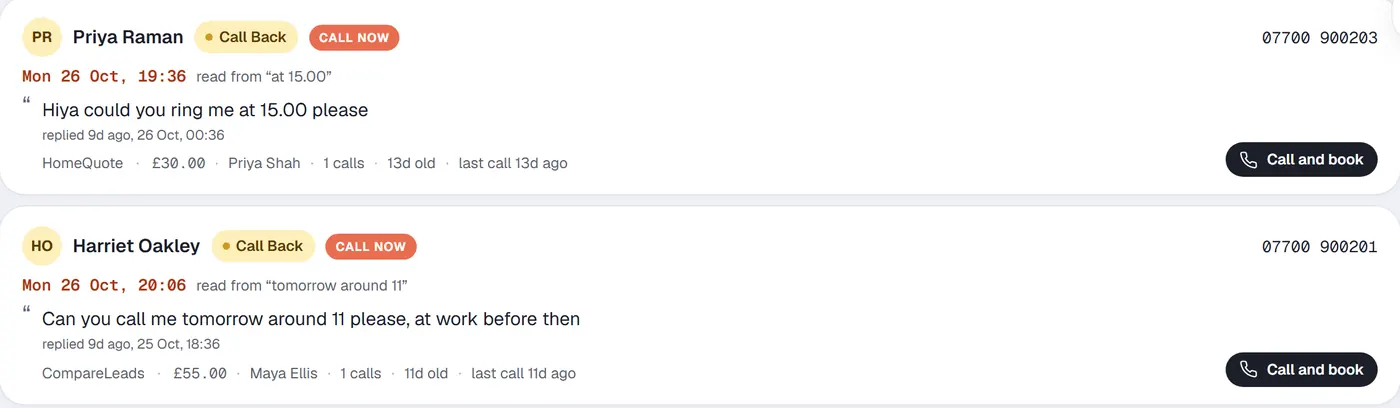
Customers who replied and were never phoned, callbacks that lapsed, and leads bought and never rung, most urgent first. Each card leads with the customer's own words, because Please call me on Monday
and no thanks, I no longer need it
need opposite actions, and only a person should decide which.

Texts and WhatsApp
Texts and WhatsApp, on the lead.
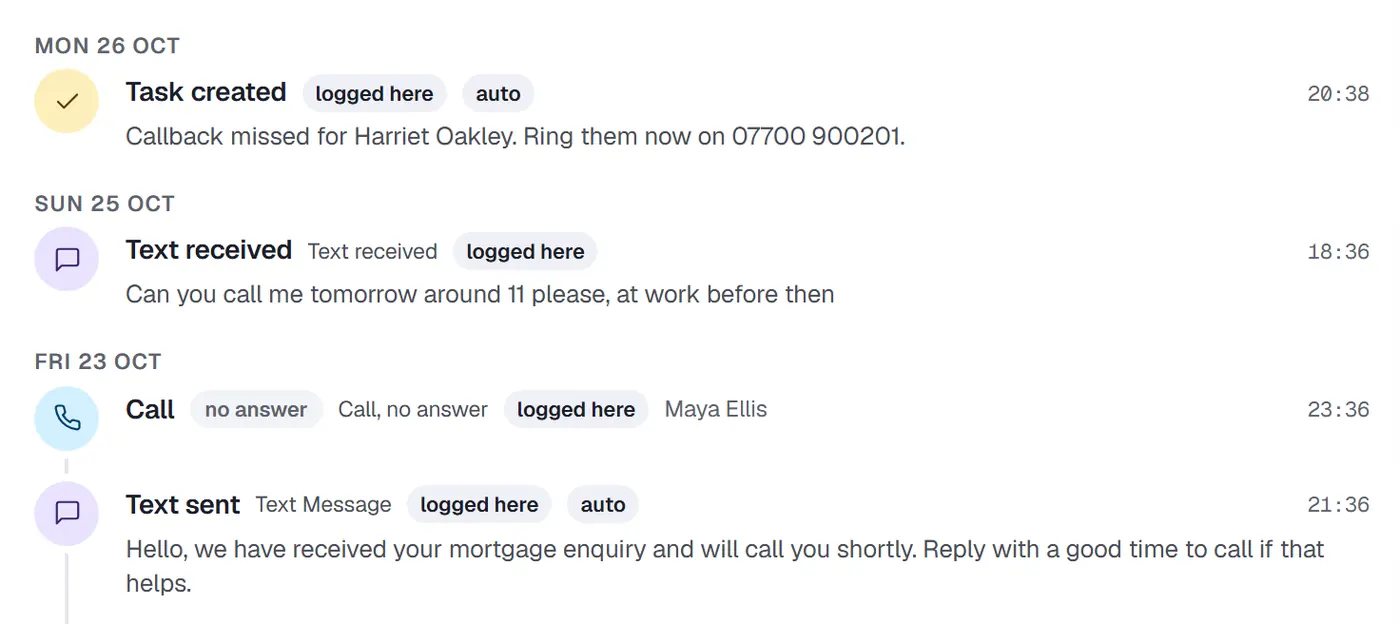
Send and receive texts and WhatsApp messages through Twilio, on the same record as the calls. Replies land in the history, and a reply asking for a call shows up in Needs attention. If a customer has asked not to be texted, the record says so.
Diary
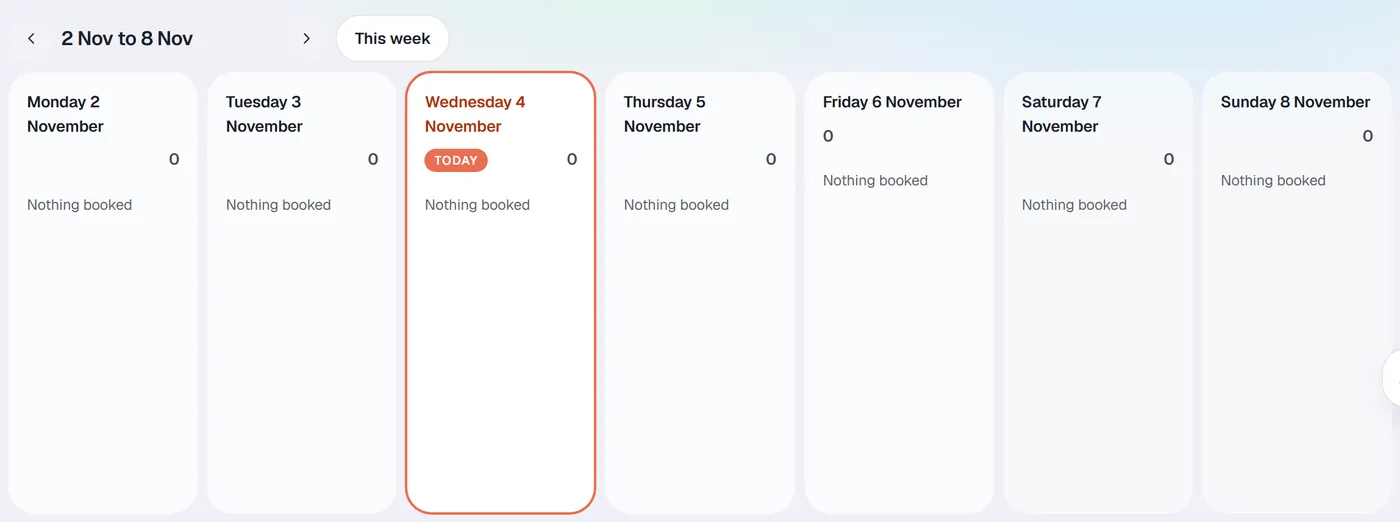
The booking diary and every adviser's calendar.
Book the appointment from the lead you are on. Say what happened to each one afterwards, because booked and held are different numbers and your reporting should know the difference.
Cases
From the appointment to completion.
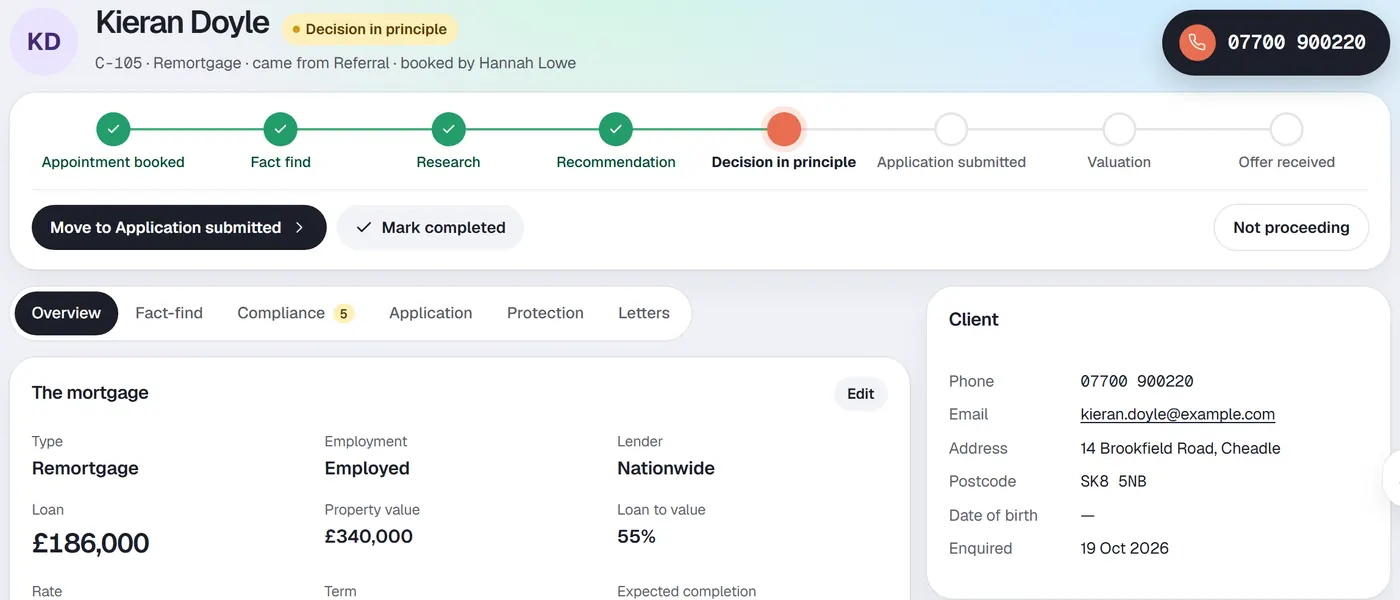
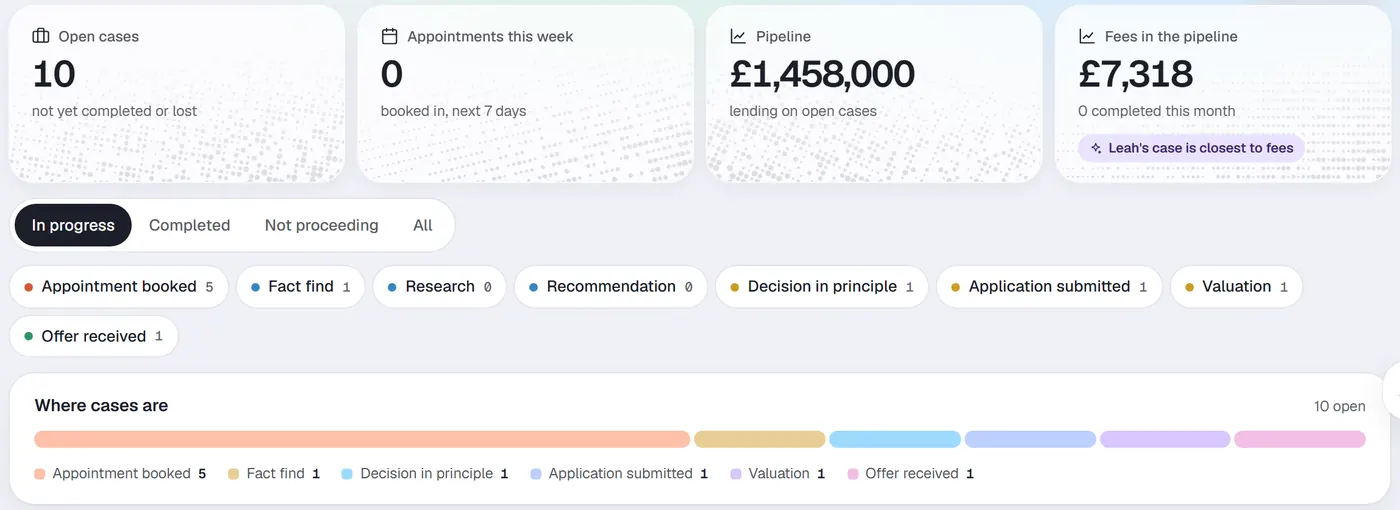
The case picks up where the lead left off. Every stage sits on a single line, so anyone can see where a case is and what it is waiting for.
- Fact-find and compliance file
- Recommendation and application tracking
- Protection
- Through to completion
Client page
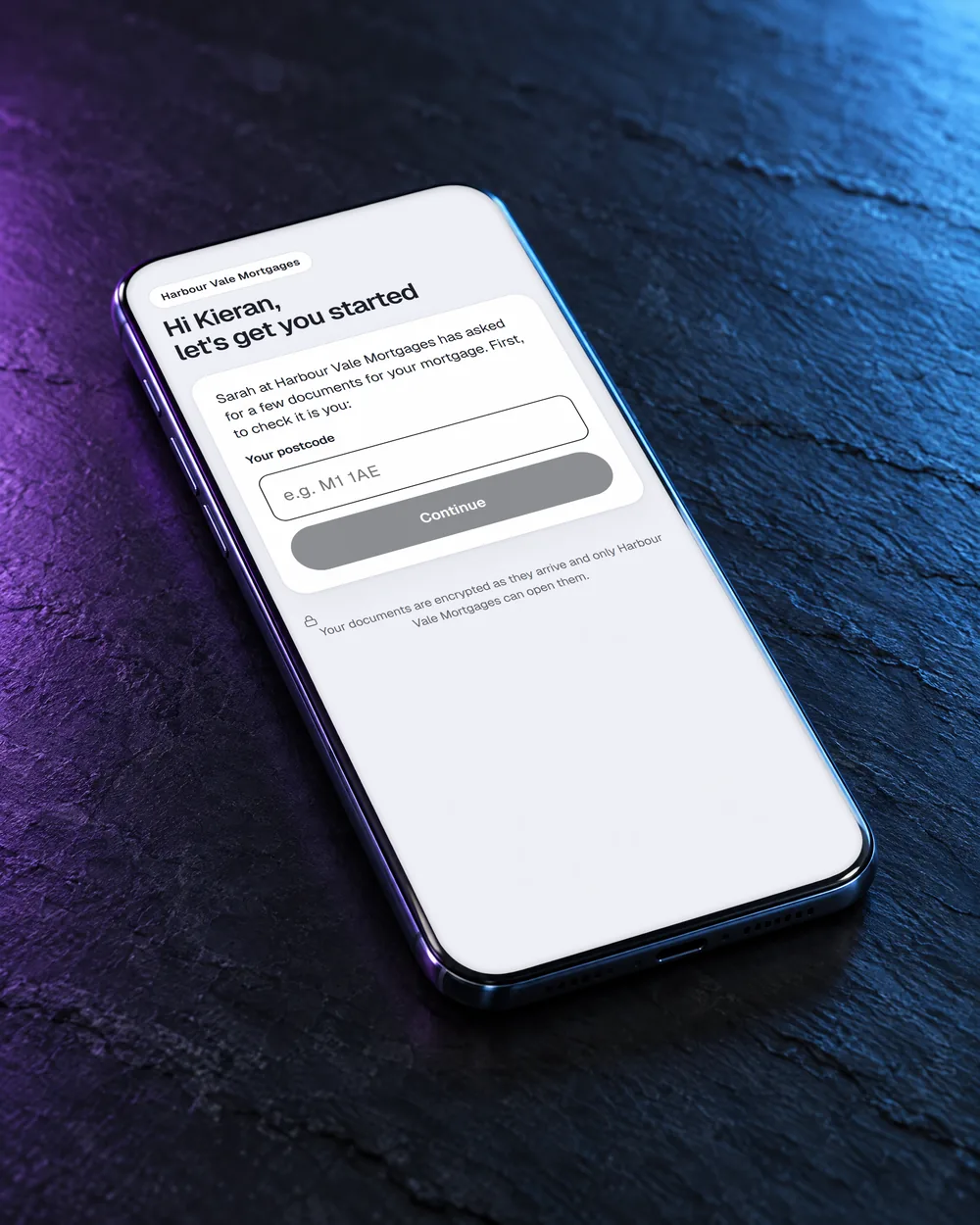
Documents from the client's phone, with no login to remember.
Each client gets their own secure page. They confirm their postcode, see what you have asked for, and send it from their phone. It arrives on the case, not in someone's inbox.
Reporting
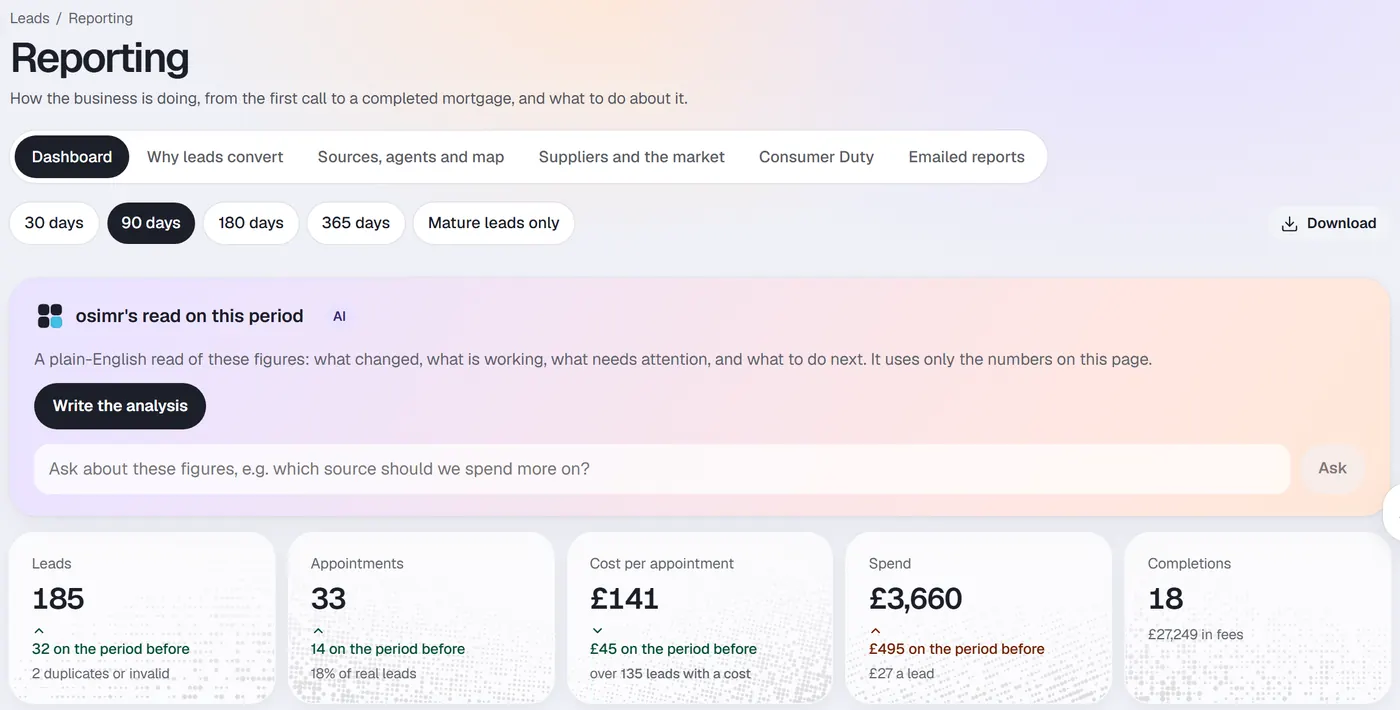
Reporting that answers what the leads became.
Leads, appointments, cost per appointment, spend and completions, by period and by source. Every company's own lead statuses map onto 9 shared categories, so won or lost can always be answered.
AI reads of your reports and flagged leads, switched on by you.
- Cost per appointment by source
- How reachable each supplier's leads are
- The pipeline from lead floor to completion
Team
Who is carrying what, and who is on the phone today.
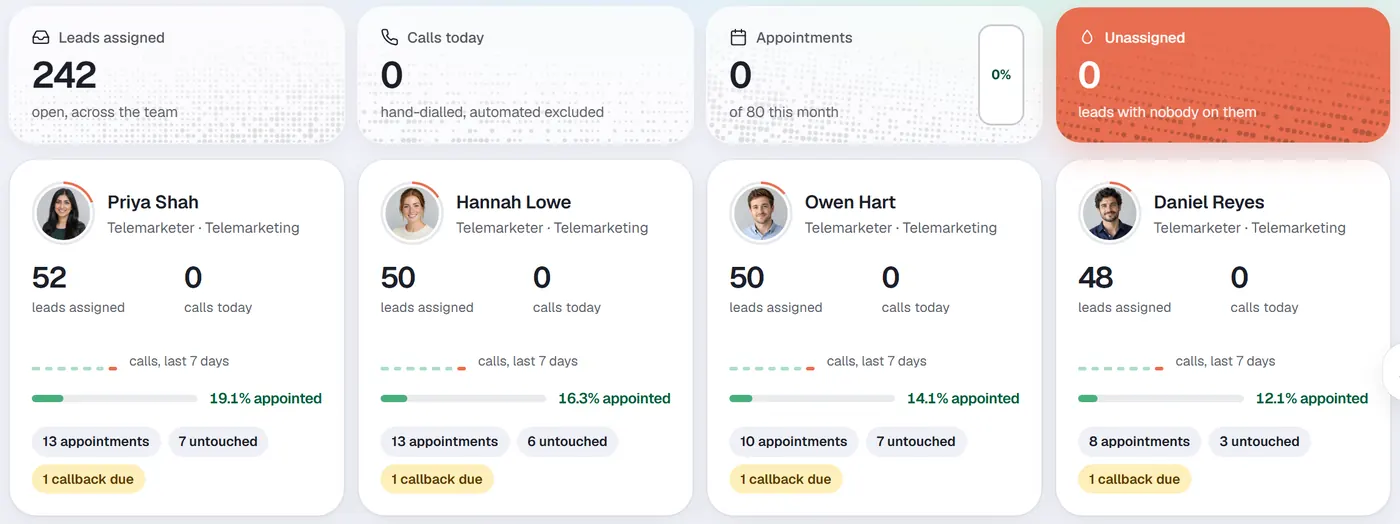
Leads assigned, calls today, calls over the last 7 days, appointment rate and callbacks due, person by person. Open anybody to see their leads.
Second look
A second look at every closed lead.
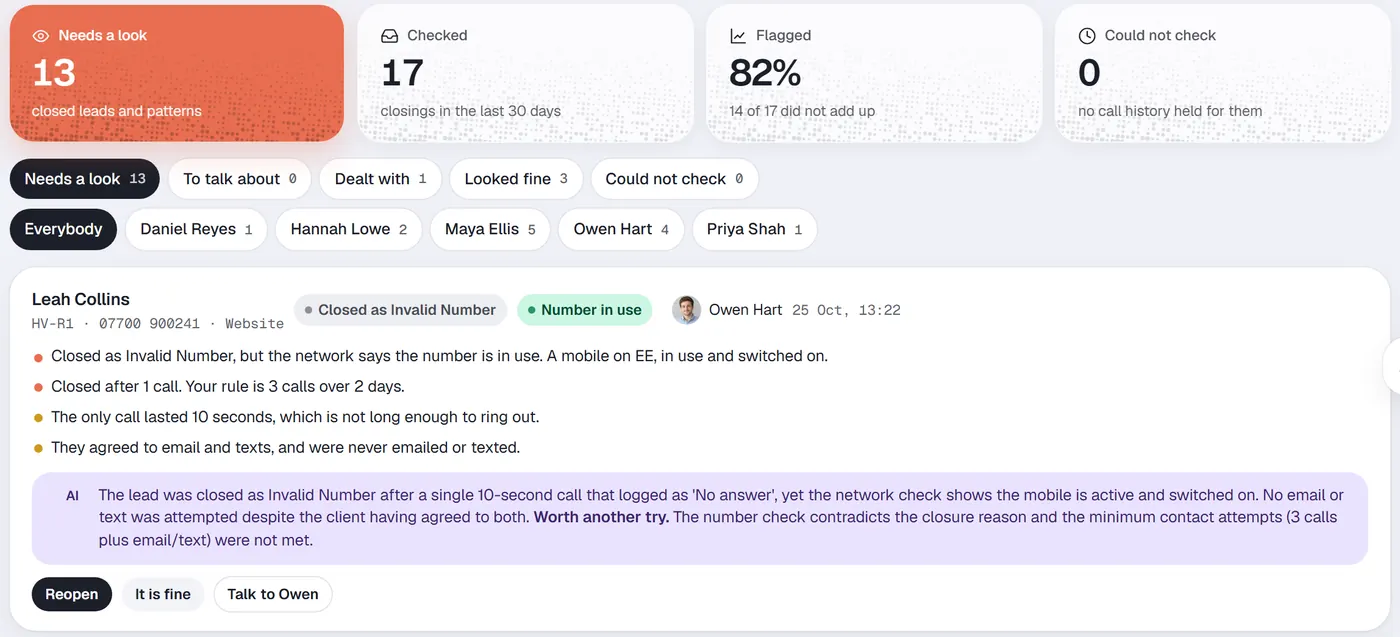
Every lead closed as lost, ineligible or a wrong number is checked against your own rules, such as 3 calls over 2 days. Patterns like many calls ended within 5 seconds are flagged for a manager to review. Reopen it, mark it fine, or talk to the person who closed it.
A flag is a reason to look, not a finding.
Supplier returns
Claim back what bad leads cost.
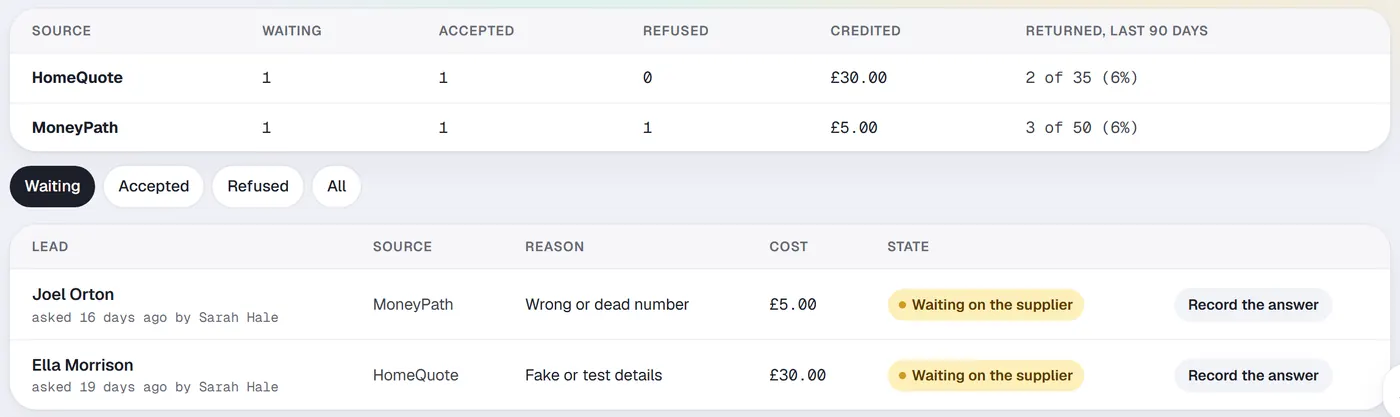
Bad leads are gathered with the evidence your supplier asks for, ready to claim back. Record what the supplier decides, and an accepted return comes off what the lead cost, so your cost per appointment stays honest.
Rate watch
Keep the clients you already won.
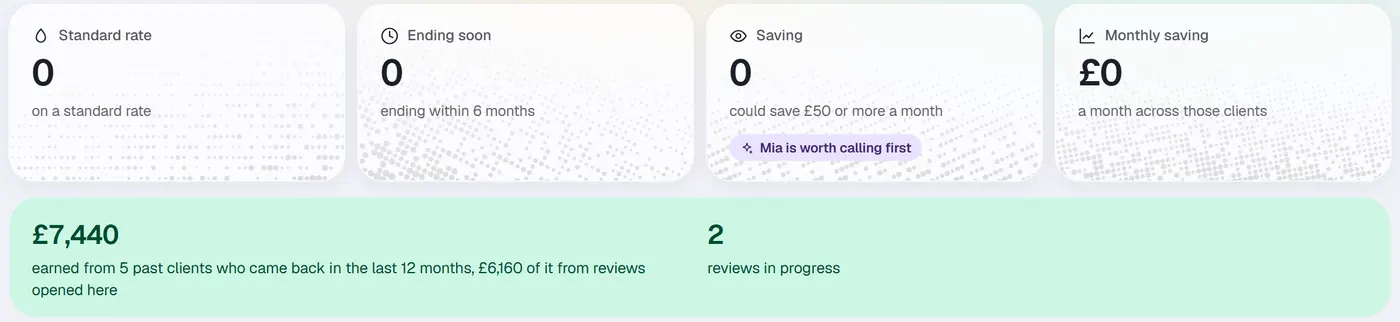
Every completed client, checked against your own table of today's rates. See who has dropped onto a standard rate, whose deal is about to end, and who could be paying less, before another broker reaches them.
Income
Fees and commission, and whether they have arrived.
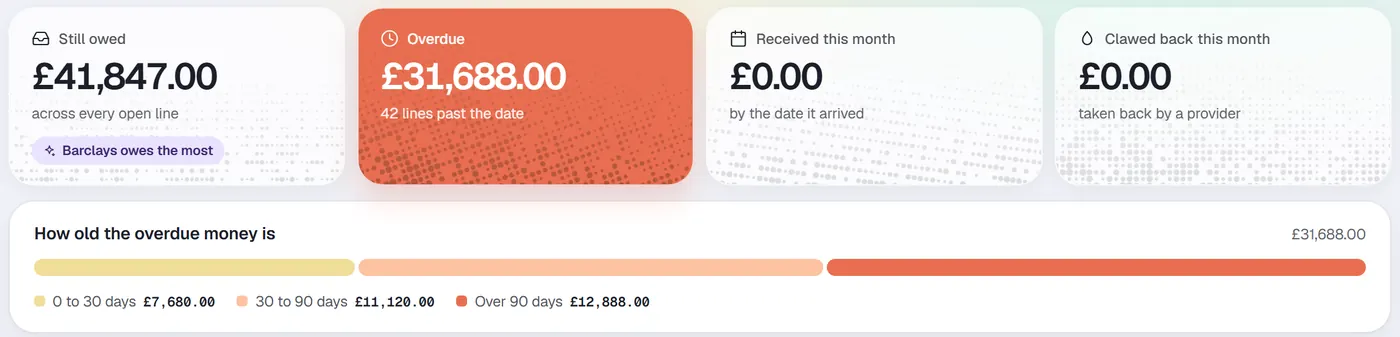
What each case should bring in, what is overdue and by how long, and what has been clawed back. Record it as it lands.
Campaigns
A message to many leads at once, sent with care.
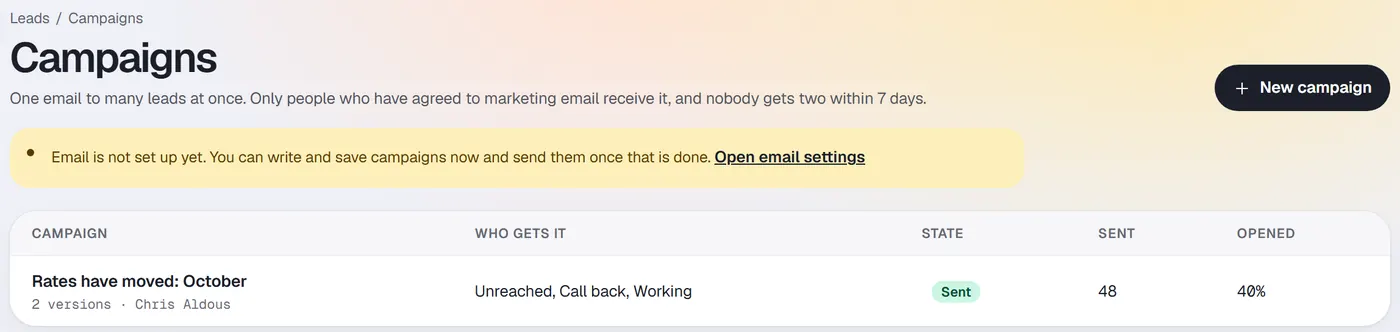
Write a campaign once and choose who gets it by status. Only people who have agreed to marketing receive it, and nobody gets 2 within 7 days.
Automations
When something happens to a lead, do something about it.
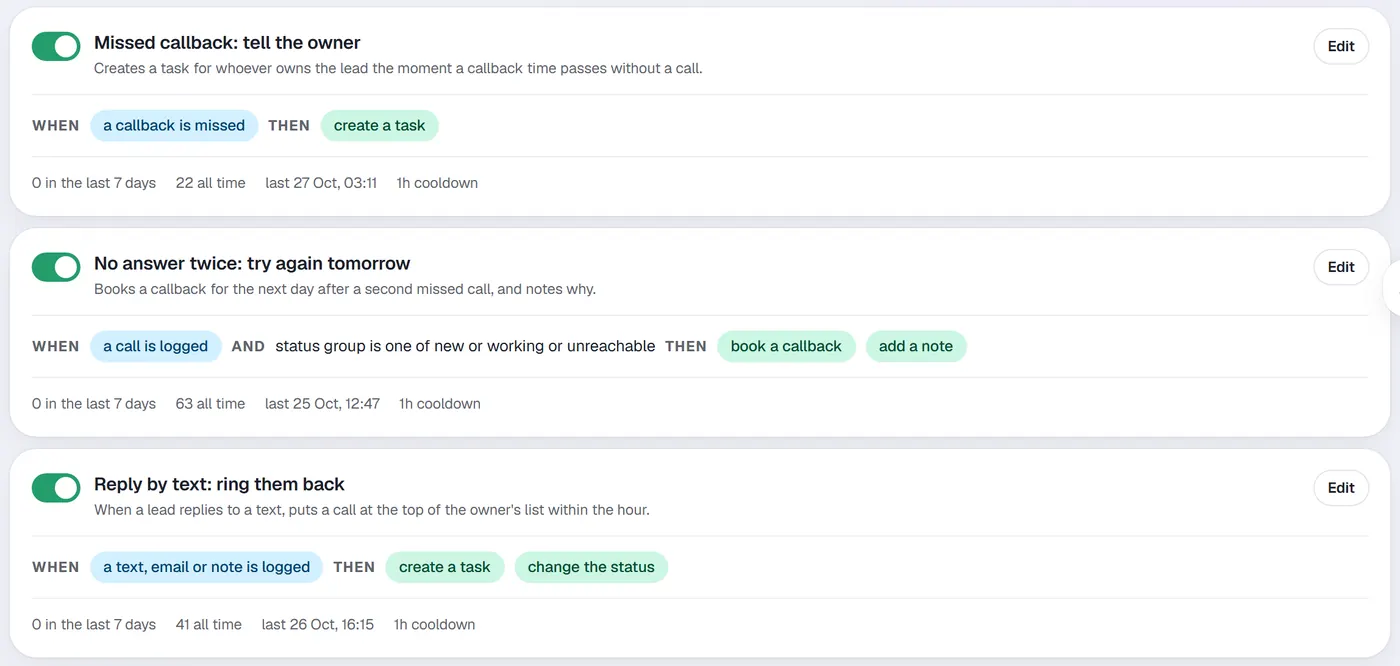
Simple rules your team can read. A missed callback creates a task for the owner. No answer twice books a callback for tomorrow. A reply by text puts the lead at the top of the owner's list. Rules only act on leads that pass every condition, and everything they do is recorded.
Importer
Bring your leads with you.
Leads come in from your website form, from lead suppliers, or from an import, including from FLG360. Duplicates are checked on the way in.
Website forms
Enquiries from your own site arrive in the queue as new leads.
Lead suppliers
Bought leads arrive with their source and cost, ready for reporting.
Imports
Bring existing leads across, including from FLG360, with duplicates caught.

See it on your own leads' terms.
We'll walk you through it on Harbour Vale, our demo company, and show you where your own leads would sit.